
WordPress Adding Custom Fields to Media
In many WordPress projects, media file management is usually limited to basic titles and descriptions, but sometimes we may need to add additional information to specific media files, such as video links or copyright notices. Unfortunately, there are very few plugins or tutorials for adding custom fields to media.
In this post, let's take a look at how to add custom fields to WordPress media. The implementation code is actually very simple and there is absolutely no need to use a plugin to achieve this. The final realization is seen in the image below.
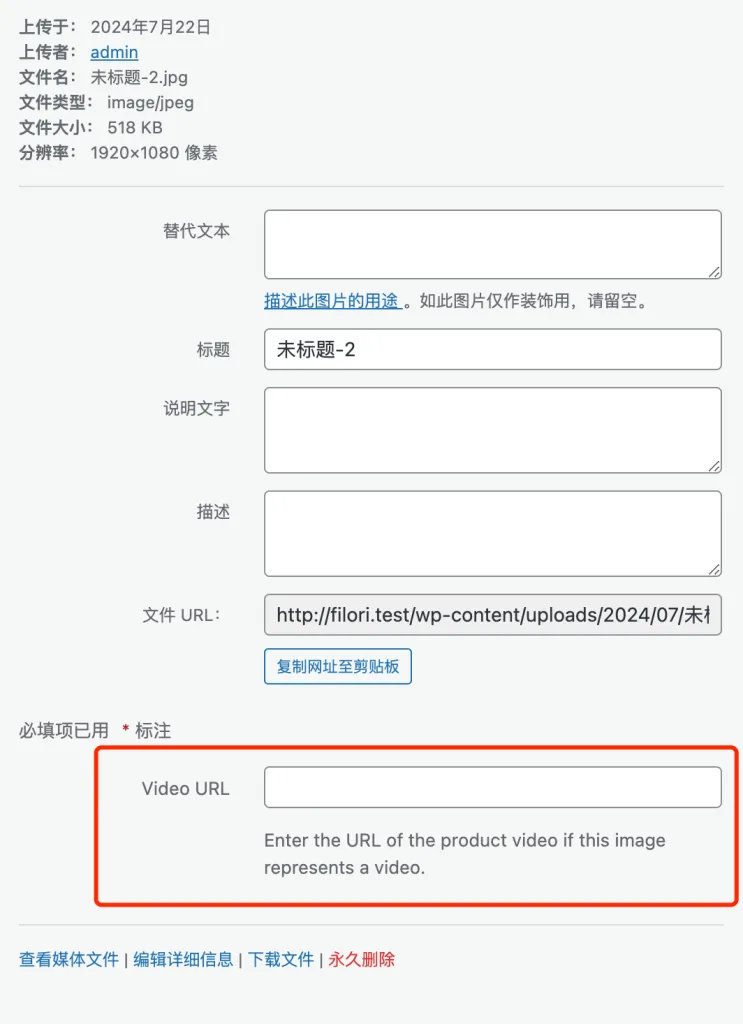
First, add a custom field form for media
In the following code, we use the attachment_fields_to_edit Hook adds a video_url form for the media.
add_filter('attachment_fields_to_edit', 'add_video_url_field_to_media_uploader', 10, 2);

function add_video_url_field_to_media_uploader($form_fields, $post)
    {
        $form_fields[ 'video_url' ] = [
            'label' => __('Video URL', 'woocommerce'),
            'input' => 'text', 'value' => get_propagation', 'value' => get_propagation
            'value' => get_post_meta($post->ID, '_video_url', true),
            'helps' => __('Enter the URL of the product video if this image represents a video.', 'woocommerce'),
        ];

        return $form_fields.
    }
Save data to the media field
Then, we use the attachment_fields_to_save Hook, when saving the media data, just save the value of the custom field submitted by the front-end in the media custom field by the way.
 add_filter('attachment_fields_to_save', 'save_video_url_field_to_media_uploader', 10, 2);

function save_video_url_field_to_media_uploader($post, $attachment)
    {
        if (isset($attachment[ 'video_url' ])) {
            update_post_meta($post[ 'ID' ], '_video_url', esc_url_raw($attachment[ 'video_url' ]));
        }

        return $post.
    }
In this way, we have implemented the ability to add custom fields to WordPress media. Note that the$postThe "Media Custom Article Type" is not every article, but the "Media Custom Article Type" that holds the media data.
After adding and saving the custom field, how to use it, we call this media field according to the business needs, and then do the judgment and display can be. In addition to media custom fields, this site's previous articles Programmatically capture attachment Alt text, title, description and name In it, it also describes how to get other data of the media, if you need to refer to it.
Through the introduction of this article, we have mastered the method of how to add custom fields for WordPress media, this method is simple and funny, can be flexibly customized through the code of a variety of functions, you are able to apply this method to more complex projects, such as adding a duration field for audio or video files, adding source information for images and so on.