
Accelerating the WordPress Backend: Disabling Some Useless Dashboard Widgets
On initial installation, the WordPress dashboard (always found that translation awkward) has a lot of widgets on it.
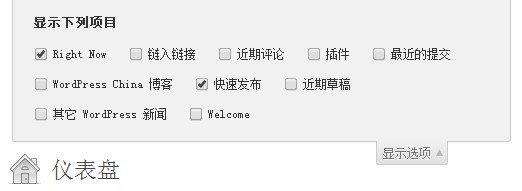
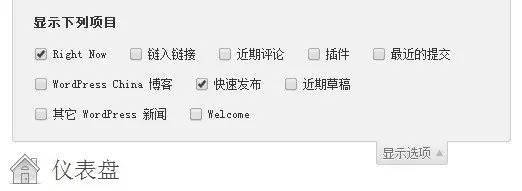
A lot of this is not useful to us, but WordPress is loaded by default, which will affect the speed of WordPress background opening. We can turn off the useless ones by displaying the options, so it's OK, it won't be loaded, and it won't have an impact on the speed.
But you say, I want to be a little more extreme, a little more thorough, I want to make these widgets in the display selection can not be seen, no problem, a little bit of hand, copy the following code into the function.php file can be fixed.
// Remove useless dashboard widgets
function mx_remove_dashboard_widgets() {
  global $wp_meta_boxes;
  //unset($wp_meta_boxes['dashboard']['normal']['core']['dashboard_right_now']);
  //unset($wp_meta_boxes['dashboard']['side']['core']['dashboard_quick_press']);
  unset($wp_meta_boxes['dashboard']['side']['core']['dashboard_recent_drafts']);
  unset($wp_meta_boxes['dashboard']['side']['core']['dashboard_primary']);
  unset($wp_meta_boxes['dashboard']['side']['core']['dashboard_secondary']);
  unset($wp_meta_boxes['dashboard']['normal']['core']['dashboard_duoshuo']);
  unset($wp_meta_boxes['dashboard']['normal']['core']['dashboard_recent_comments']);
  unset($wp_meta_boxes['dashboard']['normal']['core']['dashboard_incoming_links']);
  unset($wp_meta_boxes['dashboard']['normal']['core']['dashboard_plugins']);
}

add_action('wp_dashboard_setup', 'mx_remove_dashboard_widgets' );




This is a great feature. But there's a problem. How do you recover these widgets after you delete them?
Which widget needs to be restored, just comment out the corresponding code.