Fix WordPress Admin Menu Misalignment Caused by Chrome Bug
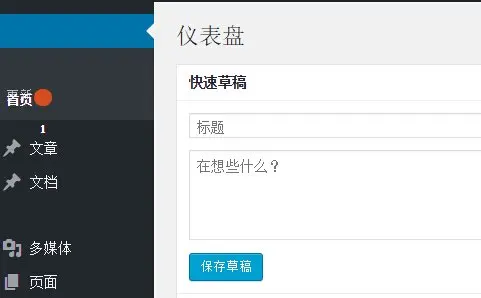
Recently, some friends may find that the WordPress background management menu has a problem, the mouse slides over the left menu, the text of the two adjacent menus overlap each other, the top of the menu covered the following, resulting in the menu can not be correctly clicked on the desired menu, the effect of the figure shown below:
I read from a foreign forum that this is a bug of slimming paint in Chrome 45, how to fix this bug? It's very simple, just disable slimming paint. The specific method is as follows:
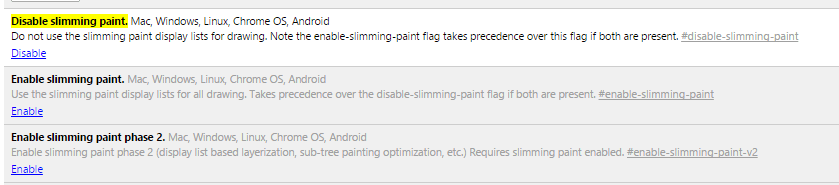
Enable the Disable slimming paint option by typing chrome://flags/#disable-slimming-paint in the address bar of Google Chrome, and make sure the other two “Enable Slimming Paint ” are disabled.
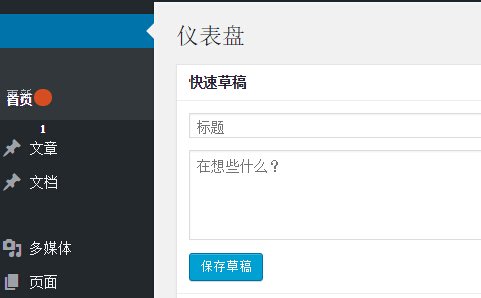
The effect of the change is shown in the figure below. After completing the change, restart your browser.