
Advantages of Using WordPress as a Web Application Development Framework
With the maturity of Web technology, such as Ruby on Rails, CakePHP, CodeIgniter and other Web application development frameworks have been very common, if you have ever used or understand them, you understand how much these frameworks can help us accelerate Web application development, WordPress is not based on the framework of development, and the usual Web development frameworks are not quite the same. WordPress is not based on the framework development, and the usual Web development frameworks are not quite the same, in this article, we will summarize the common features in the commonly used Web development frameworks, and at the same time and WordPress to do a comparison, to find out the implementation of these features in WordPress.
What is a Web Application Development Framework?
Literally, an application development framework is a reusable code base. Frameworks help designers and developers to focus on their design and business logic instead of rewriting common features that have already been implemented, such as user management, database connectivity, error handling, caching, etc., which helps a lot in reducing the development cycle. Some of the more common web development frameworks we see are Ruby on Rails, CodeIgniter, CakePHP and Zend, which are based on the MVC architecture that splits an application into several components. The purpose of this article is to compare web development frameworks with WordPress, so we will only discuss PHP web development frameworks.
Advantages of Using Web Development Frameworks
PHP is a widely used programming language, but it is also a controversial language. the learning curve for PHP is relatively gentle, and it can be used quickly to get started, which usually results in a lot of beginner-level PHP programmers who develop less secure programs. The use of frameworks can help with some of the common security mistakes.
Every programmer has his or her own style of coding, and using a framework can help team members maintain the same style of coding, follow the same standards and conventions, and make teamwork smoother.
In a web development framework, we usually see some of the following functional components:
- user management
- template engine
- error log
- localization
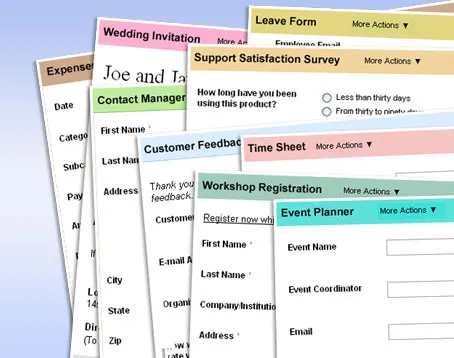
- Forms and data validation
- File upload and media management
- image processing
- Search engine friendly URL handling
- Session Management
- Trackback, XML-RPC and APIs
- Extending the framework with hooks and classes
- timed task
- (computing) cache
WordPress has most of the above features built-in, so the question is: why not use WordPress as a web development framework? Here are some of the advantages of using WordPress as a web development framework. Even if you don't plan to use WordPress to develop applications, you can learn a little bit about it.
Some of the features of WordPress used as a framework
1. Management back office and dashboard
WordPress undoubtedly has the most convenient and easy to use management background, which may also be the reason why WordPress is developing so fast, well-organized menus, dashboards, widgets, adaptive design and many other features so that WordPress in the background experience compared to other frameworks have an absolute advantage. At the same time, we can easily add custom menus in the background for different data to create a separate data management interface (based on custom post types).
Dashboard by default provides some use of widgets to help us overview the content of the site, as needed, we can also create custom dashboard widgets, just a few lines of code can be achieved, as follows:
// Output content to the dashboard widget
function dashboard_widget_function() {
    echo "Hello world, this is my first custom dashboard widget." ;
}
// Functions to use in the hook
function add_dashboard_widgets() {
    wp_add_dashboard_widget('dashboard_widget', 'Example Dashboard Widget', 'dashboard_widget_function'); }
}
// Register the new dashboard widget to the 'wp_dashboard_setup' action
add_action('wp_dashboard_setup', 'add_dashboard_widgets' ); };
2. User management and access control
User management is an essential part of every application, and WordPress provides a user management and access control system based on roles and permissions, as well as a convenient API to help us withExtended user roles and permissions. By default, WordPress provides several different roles: Administrator (with full access), Editor, Contributor and Subscriber. By assigning different roles to users, we can easily control their access to different parts of the site.
3. Template engine
In addition to the back-end features, the front-end style is also an important part of a project, WordPress provides a large number of functions to call the data and logical judgment, so that we can use PHP to deal with the template directly, developers can use PHP functions directly to display data, in addition to easy to get started, the speed will not be affected. This approach is not the standard MVC development modelThe MVC is a very similar program to the MVC, but it's not.
If you want to develop templates using template engines like Blade or Twig, there are third-party libraries for that.
4. Localization
WordPress has built-in multi-language support and also provides dynamic CSS classes to help theme developers easily set up the website language reading direction. For those who haveMultilingual siteFor users in need, there are quite a few multilingual plugins to help us develop WordPress as a multilingual site.
5. Plug-ins
Currently, the official WordPress plugin catalog has more than 20,000 free plug-ins, but also thousands of paid premium plug-ins for developers who need to choose, plug-ins to extend the default functionality of WordPress, these features include caching, sitemap generation, integration of third-party services, multi-language sites and so on.
6. Caching
Caching is an essential part of any web-based application, and proper caching can help us reduce server load and speed up website access. WordPress provides a database-based caching solution by default, which we can enable through a simple setting, and if the default cache is not enough, there are many caching plugins to help us realize more advanced cache control! features, and even through the CDN Pluginhelps us deploy static files to the CDN network.
7. Search engine friendly URL handling
WordPress supports static URL generation based on URL Rewite by default, we just need to do a simple setup in the background to enable this feature and convert our URLs into SEO friendly URLs.
8. File uploads and media management
WordPressFile upload functionMay be the best of all open source Web programs and is the most powerful , she does not provide fancy image effects processing capabilities , but provides the most commonly used in Web development such as : drag and drop upload , thumbnail generation , attached to the article , automatically generate albums and so on , but also has to manage all the uploaded images of the function .
9. Hooks, Actions and Filters
WordPress provides a lot of hooks to help developers call custom functions at the right time, such as inserting CSS and JavaScript files into page head tags, adding Banner ads to the bottom of the post, etc.
In addition to the default Hooks, we can also insert custom Hooks into the code execution flow as needed to decouple some additional operations from the main flow.
10. Error log
PHP has a standard error logging system that we can activate by adding the following lines of configuration to wp-config.php:
@ini_set('log_errors','On');
@ini_set('display_errors','Off');
@ini_set('error_log','/home/example.com/logs/php_error.log');
11. XML-RPC and APIs
WordPress supports XML-RPC, which allows us to publish website data remotely using other clients, for example, we can publish or update posts to a WordPress site using Windows Live Write or other blogging clients.
12. Multiple instances
WordPress also provides us with a multisite mode that allows us to build multiple sites based on a single WordPress core, which we can use to build multi-language sites, country-based sites, or open sub-sites of previous sites.
Although WordPress was born as a blog program, but after several years of rapid development, more and more features have been added to the core of WordPress, more and more users have begun to use WordPress to build magazine sites, corporate websites, forums, Q&A sites and other types of sites, from the fact that, WordPress has been used as an application In fact, WordPress has been used as an application development framework.
summarize
While there are many advantages to using WordPress as a web development framework, not all needs are suitable for development using WordPress. When the application we need to develop is content-based, we can use WordPress directly, and let the power of WordPress help us speed up the development process and shorten the development cycle. If we need to develop applications that require more customization, or need to deal with a lot of independent data, using WordPress may not be a good choice, this time, using a web development framework may be more appropriate.


I've been looking into that lately. That's good.