How to Display Variants as Individual Products in WooCommerce
In WooCommerce store, variant products are displayed as an option along with the main product, sometimes, for the sake of convenience, we may want to display the variant product as a separate product.WooCommerce doesn't provide us with such an option, in this article, I will show you how to programmatically implement this feature.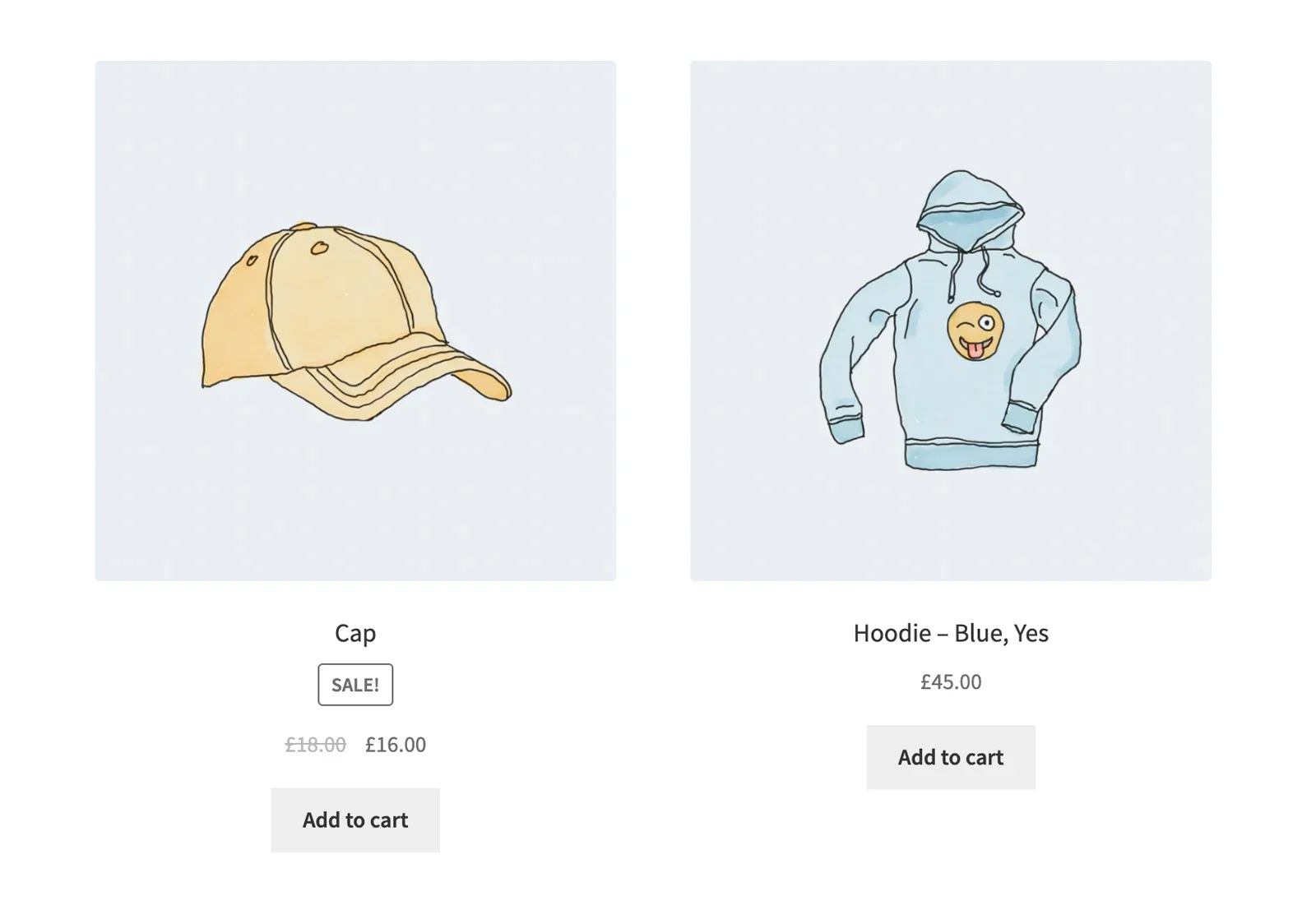
Programmatically display variants as individual products on store and archive pages
Product Enquiry
Honestly, it's a lot easier than you might think - we just use the standard WooCommerce woocommerce_product_query action hooks, which are somewhat similar to pre_get_posts。
/**
 * Show variants as a single product in WooCommerce
 */
add_action( 'woocommerce_product_query', function( $query ) {
    $query->set( 'post_type', array( 'product','product_variation' ) );
}, 25 );
WooCommerce product pages are already fully compatible with the variants, and the WC_Product_Variation The PHP class also extends the WC_Product Class. In other words, simply using the above code snippet in the store is enough to display the variants as individual products:
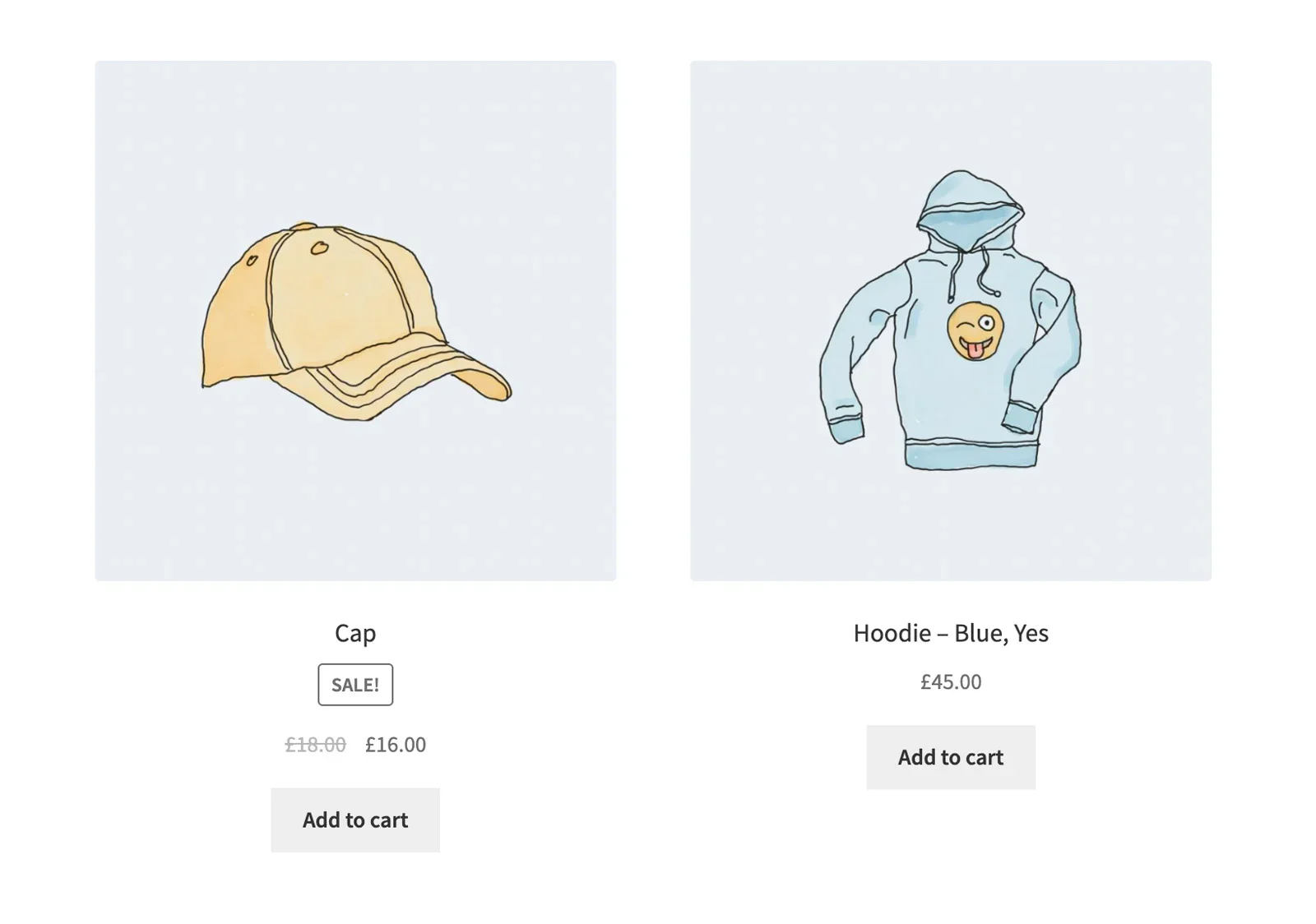 “The ”Hoodie-Blue,Yes" product is a variation of this.
Example of using pre_get_posts (not recommended)
In addition to this, we can use the pre_get_posts Action hooks to fulfill this requirement? Theoretically, yes, but I would recommend avoiding this as we have a WooCommerce-specific action hook. Additionally, there is no need to use the pre_get_posts hook when theIt will be triggered anywhere, even in the WordPress admin dashboard.
Does this mean that variants will also start showing up as individual products in the admin control panel?Of course not.You'll just get an error and empty table rows, just like the screenshot:
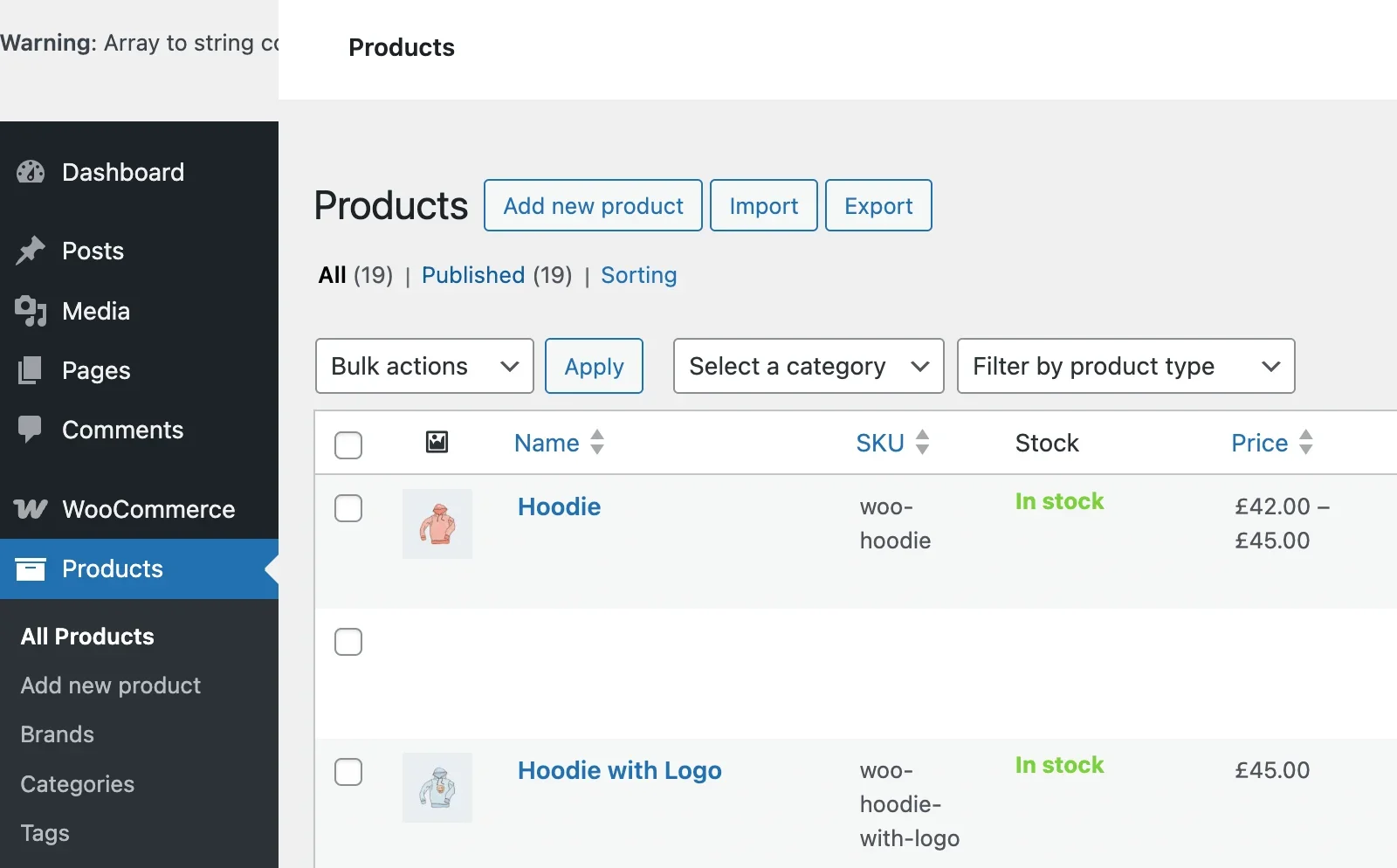
However, we can add some constraints to solve this problem:
add_action( 'pre_get_posts', 'wprs_variations_as_single_products', 25 );
function wprs_variations_as_single_products( $query ) {

// First, check if we are in the admin dashboard
if( is_admin() ) {
return;
}

// Second, on which pages we want to display the variants as individual products
if( is_shop() || is_product_category() || is_product_tag() ) {
$query->set( 'post_type', array( 'product', 'product_variation' ) );
}

}
Use woocommerce_shortcode_products_query in "products" shortcode.
In some themes, developers are also using the "Products." The short codes are calling the product. These short code queries are not in the woocommerce_product_query hooks are covered, we need to additionally use the woocommerce_shortcode_products_query::
add_filter( 'woocommerce_shortcode_products_query', function( $query_args, $atts ) {
    $query_args[ 'post_type' ] = array( 'product', 'product_variation' );
    return $query_args;
}, 25, 2 );
Hiding variable products (excluding variants) from the product cycle
Now there's another problem:Since we are now displaying variant products in the product loop as if they were regular products, why do we need to display their parent variant products?
For example, you can see that while displaying “Hoodie-Blue,Yes” we are still displaying the “Hoodies“ product. I think it's very logical to exclude them from the loop now, right?
Luckily, we can do this easily by simply adding a new line to the woocommerce_product_query Modify the hook's callback function in the Tax_Query value is sufficient, since product type is just a categorization criterion product_typeWe need to exclude the data withvariantThe product of the item.
add_action( 'woocommerce_product_query', function( $query ) {

$query->set( 'post_type', array( 'product', 'product_variation' ) );

// let's exclude variable products now
$tax_query = $query->get( 'tax_query' );
$tax_query[] = array(
 'taxonomy' => 'product_type',
'field' => 'slug',

'operator' => 'NOT IN', .
 );
$query->set( 'tax_query', $tax_query );

}, 25 );
If, for some reason, you don't want to modify a WooCommerce product query in the tax_queryYou also have another option - you can customize the fields with specific _variations Exclude variable products by filtering them out. So, we just need to modify the WooCommerce product loop'sMeta_Query value is sufficient.
add_filter( 'woocommerce_product_query_meta_query', function( $meta_query ) {
$meta_query[] = array(
'key' => '_variations',
'compare' => 'NOT EXISTS',
);
return $meta_query;
} );
In this article, we introduced how to display product variants as individual products through WooCommerce or WordPress action hooks, which can enrich the site's products for some sites with few products, as well as make it easy for users to add products to their shopping carts.