Improve WooCommerce Store Conversions Key Strategies for Optimizing the User Experience
In eCommerce, user experience (UX) is key to success, especially for WooCommerce stores. It acts as an invisible force throughout a customer's shopping journey, shaping their decisions and directly affecting order fulfillment rates. A well-designed UX can make the difference between a customer completing or abandoning an order.
Optimizing the user experience when you launch your WooCommerce store isn't just about aesthetics - it's about providing customers with a seamless, intuitive, and enjoyable shopping experience. Every customer interaction with your website is an opportunity to build trust, reduce friction, and drive conversions.
In this article, we'll explore the impact of user experience on WooCommerce conversion rates and provide practical strategies to enhance your store experience and drive sustainable growth.
Streamline the checkout process to increase conversions
The checkout process is the final hurdle in the shopping journey and is crucial in determining the success of a sale. Complex or lengthy checkout processes are the main reason why customers abandon their shopping carts, directly impacting conversion rates. Streamlining the checkout process is essential to convert browsers into customers.
Minimize steps in the checkout process: With each additional step, the likelihood that the customer will give up increases. Try to condense the checkout process into a single-page checkout, or if it must be split into multiple pages, use a progress indicator to tell the customer the current progress.
Provide guest checkout options: While creating an account helps with future purchases, forcing customers to create an account before checkout may deter them. Offer a guest checkout option and let customers choose whether or not to sign up after they make a purchase.
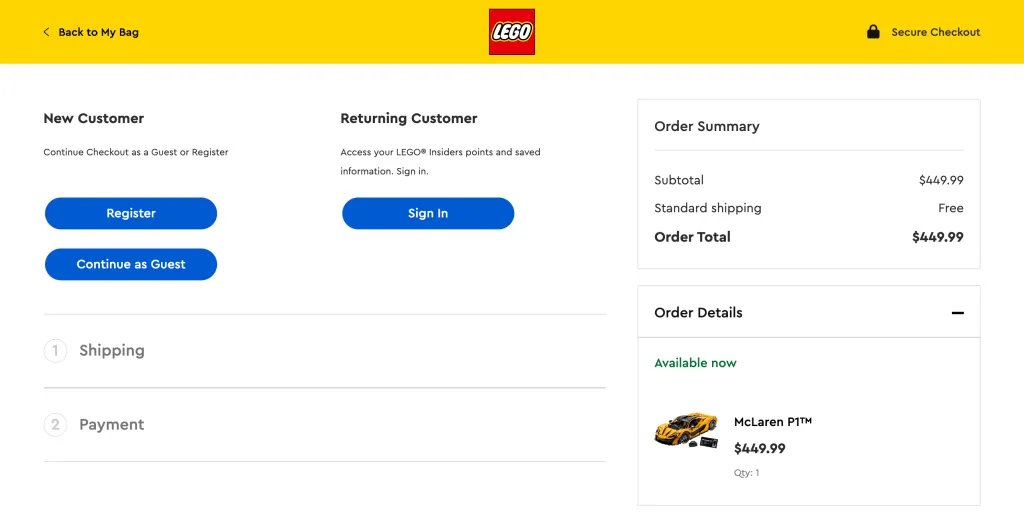
Simplified checkout forms: Ask the customer only the necessary information. Every unnecessary field removed reduces the operational burden on the customer. Ensure that forms are mobile compatible and use auto-fill features wherever possible.
Show all costs in advance: Hidden fees or extra shipping costs often cause customers to abandon their shopping carts at the last minute. Be sure to clearly display all fees throughout the shopping process.
Multiple payment options available: Meet the payment needs of different customers, including credit card, PayPal, Apple Pay, WeChat Pay, Alipay, and more. More payment methods means more conversion opportunities.
Provide save cart function: Even if customers leave the site, they can save their shopping cart so they can return later to complete their purchase, minimizing lost sales.
Make sure your checkout page is secure: Ensure that the checkout page is secure and clearly communicate this to customers. Display the security badge and enable HTTPS to increase customer trust.
Enhancing the mobile user experience
With the popularity of shopping on mobile devices, optimizing the WooCommerce mobile experience has become key to increasing conversions. With more and more customers shopping on their phones or tablets, mobile optimization cannot be ignored.
First.Make sure your WooCommerce theme is responsive!The product images are automatically adapted to the screen size of various devices. Pay special attention to the clarity of product images to ensure they are equally readable on small screens.
Navigation is critical on mobile devices.Implementation of a simple, easy-to-use menu system, don't overwhelm mobile users. Consider using a hamburger menu to save space, but make sure basic navigational elements like the search bar and shopping cart icon are always visible.
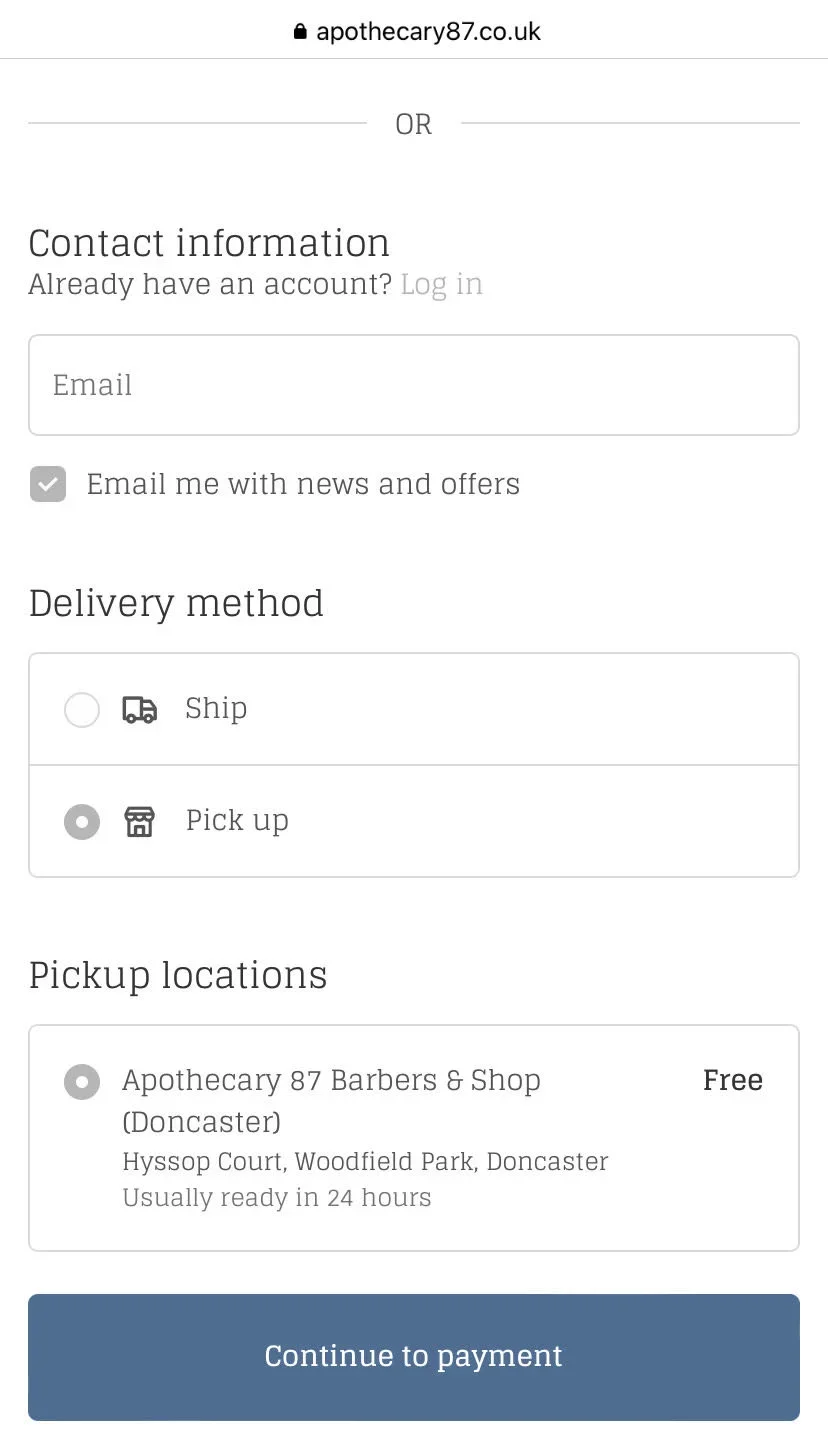
Optimize your website for mobile users with touch targeting: Buttons and links should be large enough for easy finger clicks, and there should be enough space between buttons and links to prevent accidental clicks. This is especially important for add to cart buttons and checkout forms.
Page loading speedMore important on mobile devices: Because users typically have slower internet connections. Optimize images, minimize CSS and JavaScript, and consider implementing lazy loading to improve mobile load times.
Compared to the desktop versionFurther streamline the mobile checkout process: Use digital wallet options like Apple Pay or Google Pay for one-click purchases. Make sure form fields are large enough to be easily clicked and filled out on a small screen.
Don't forget to secure your WooCommerce store for mobile users. Mobile security is just as important as desktop security, if not more so. Implement strong authentication measures and make sure all data transfers are encrypted.
The role of visual design and navigation in user experience
Visual design and intuitive navigation are essential components of the user experience and can significantly impact the conversion rate of your WooCommerce store. A well-designed, easy-to-navigate website not only looks professional, but also instills a sense of trust in your customers, allowing them to enjoy the shopping process.
When it comes to visual design, simplicity is key. Optimizing the user experience of your WooCommerce store starts with aclear and concise layoutthat makes your product shine. Use a color scheme that is consistent with your brand identity, but keep an eye on contrast to ensure that the text is easy to read.
High quality product imagesCrucial. Invest in professional photography or high-resolution stock images to showcase your products in the best possible way. Consider using an image zoom feature to allow customers to view products in detail.

Typography plays an important role in readability and overall user experience: Choose fonts that are easy to read on both desktop and mobile devices. Use hierarchy in your typography to direct users to important information such as product titles, prices and call-to-action buttons.
Effective navigation is creating a logical structure:Enable users to find the content they want quickly and easily. Implement a clear, organized menu structure. For categories with many subcategories, consider using drop-down menus, but be careful not to provide users with too many options at once.
Personalization and its impact on conversions
Personalization in e-commerce means tailoring the shopping experience for each customer. This approach makes customers feel valued and understood, which can greatly increase conversion rates.
Implement product recommendations based on browsing history and past purchases: Not only does this increase the chances of additional sales, but it also helps customers discover products they may be interested in. Use customer data to personalize email campaigns. Segmented emails with personalized content have higher open and click-through rates, driving more traffic back to your store.
Save user preferences and shopping cart content for returning customers: This convenience can encourage them to complete purchases they may have previously abandoned. Personalize the checkout process by remembering shipping addresses and payment preferences. This simplifies the buying process, reduces friction, and increases conversions.
Improve website speed and performance
Website speed and performanceIt is a key factor in user experience and conversion rates. Slow loading websites can frustrate users and cause them to abandon their shopping carts.
Optimize images by compressing and using appropriate file formats::Large, unoptimized imagesOften, this is the culprit behind slow loading pages.
Reduce HTTP requests by merging files where possible:This includes merging CSS and JavaScript files and using CSS sprites for images. utilizing browser caching to store frequently used files on the user's device. This reduces load times for returning visitors.
Consider using a content delivery network (CDN):Serve static content from servers that are geographically closer to your users. Regularly update the WooCommerce platform, themes, and plugins. Updates typically include performance improvements and bug fixes.
Choose a reliable hosting provider:Running a successful WooCommerce website starts with a stable and well-performing server. Implement lazy loading for images and videos at the bottom of the first screen. This technique reduces the initial page load time by loading content as the user scrolls.
Utilizing customer feedback to improve the user experience
Customer feedback is a goldmine for improving the user experience on your WooCommerce store. By actively soliciting and analyzing customer feedback, you can identify pain points and opportunities for improvement that may not be immediately apparent.
Implementation of various feedback collection methods: such as post-purchase surveys, on-site feedback forms and e-mail follow-ups. These tools can provide valuable information about the shopping experience from browsing products to checkout.
Close attention to customer support inquiries and complaints: These tend to highlight areas where the user experience falls short and can guide your improvement efforts.
Use heat maps and user session logs to understand customer interactions with your website: These visualization tools can reveal navigational issues or confusing elements that may be blocking conversions.
Don't Ignore the Power of Social Media Listening: Platforms such as Twitter and Facebook can provide you with proactive, real-world feedback about your store's user experience.
Once feedback is collected, prioritize issues based on their impact on user experience and potential to improve conversion rates. Map out a roadmap for implementing changes and continually test and refine solutions.
Also.Strong content strategyCritical to addressing user concerns and improving the overall shopping experience. Utilize customer feedback to guide content creation and ensure common issues and pain points are addressed.
Prioritize user experience for sustainable growth
User experience is not only a key factor in the success of your WooCommerce store, it's also the foundation for driving conversions and sustainable growth. From streamlining the checkout process and enhancing the mobile experience to personalizing the shopping journey and improving site performance, every detail of optimizing the user experience has a profound impact on conversions.
Remember, user experience optimization is an ongoing process. By paying close attention to your customers' needs, being flexible in your strategy, and utilizing customer feedback for continuous improvement, your WooCommerce store will be able to achieve long-term success.